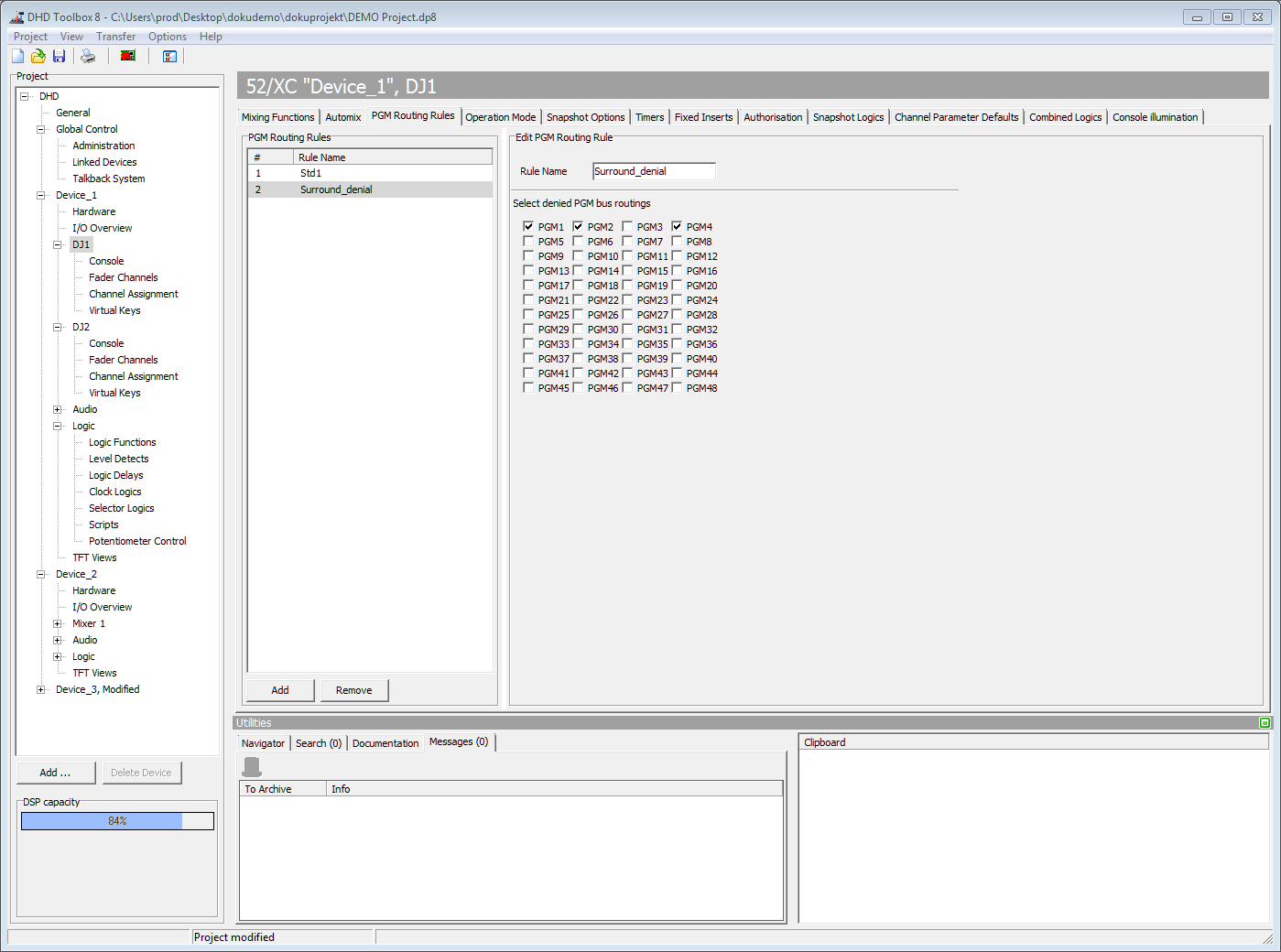
PGM Routing Rules
On the PGM Routing Rules tab, you can create rules for routing signals to program busses. For each fader channel you can select a list of bus routings which are denied.
For creating a rule and assigning it to a fader channel follow these steps:
- In the PGM Routing Rules area, click Add. You can see a new rule with a blank name in the PGM Routing Rules list.
- In the Edit PGM Routing Rule area, enter a name for this rule in the Rule Name box.
- Select the program bus check boxes (e.g., PGM1, PGM2, …, PGM48) to define which program buses are denied in this rule. Now, the rule is created.
- In the project tree, select the Fader Channels subsection of the desired virtual mixer and select the Advanced tab.
- Select a fader channel from the Defined Channels list.
- In the PGM Routing area on the Advanced tab, select a rule in the Select Rule box. This PGM routing rule is now assigned to the selected fader channel.
You can create a maximum of 20 program routing rules.