GPIOs of an 52/MB connected to an 52/MX or 52/RM4200D
note
Only the combination 52-5063B (frame) / 52-5422A (controller module) supports the GPIO feature (the controller modules 52-5424A and 52-5425A with different fiber optical interface are also possible).
Follow these steps to handle the GPIOs of a connected 52/MB:
- In th project tree, select
<Device>/DSP Fame I/O,select the MADI port where the 52/MB is connected to and select the option56 Ch. linked 52/MBin theNumber of Channelscolumn.
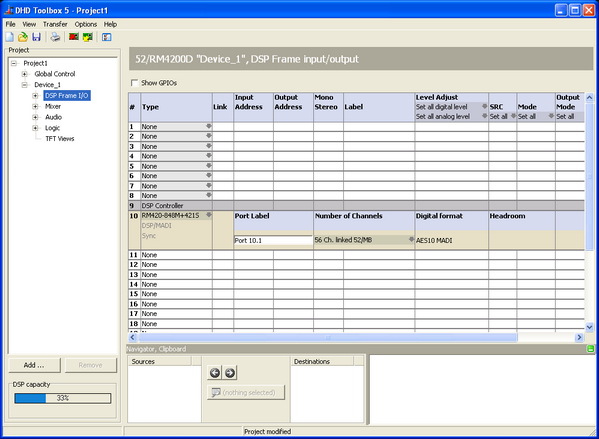
DSP Frame I/O; defining the MADI port mode.
-
In the project tree, select
<Device>/DSP Frame I/O/<Port 10.1>. -
Select the GPIO modules (52-5310 / 52-5311) on the slots
C1toC4and label the GPIs and GPOs.
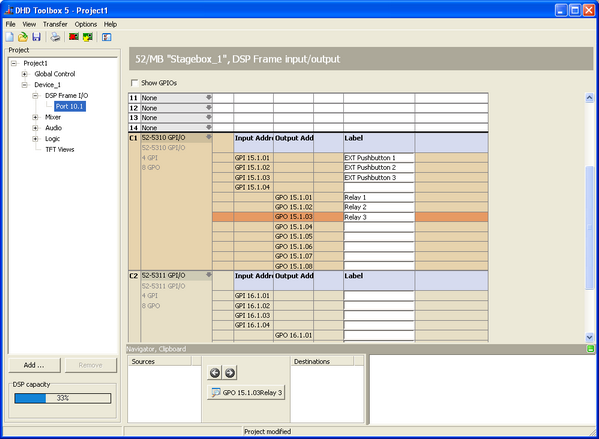
DSP Frame I/O; inserting GPIO modules and labeling GPIs and GPOs.
- Afterwards, you can use the GPIs and GPOs as usual.
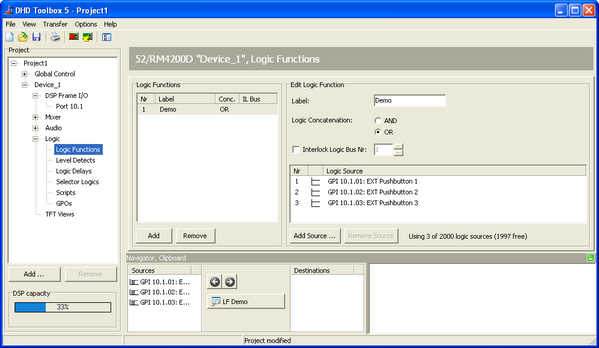
Logic functions; using the 52/MB GPIs.
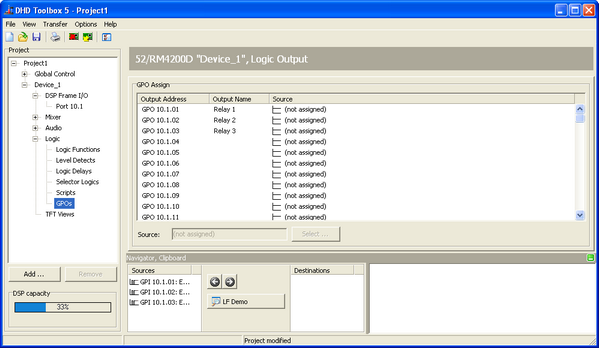
GPOs; using the 52/MB GPOs.