Virtual Mixer Snapshots
It is possible to save the settings of your console in so called Virtual Mixer Snapshots. Please find the saving options at <Mixer name>/Snapshot Options.
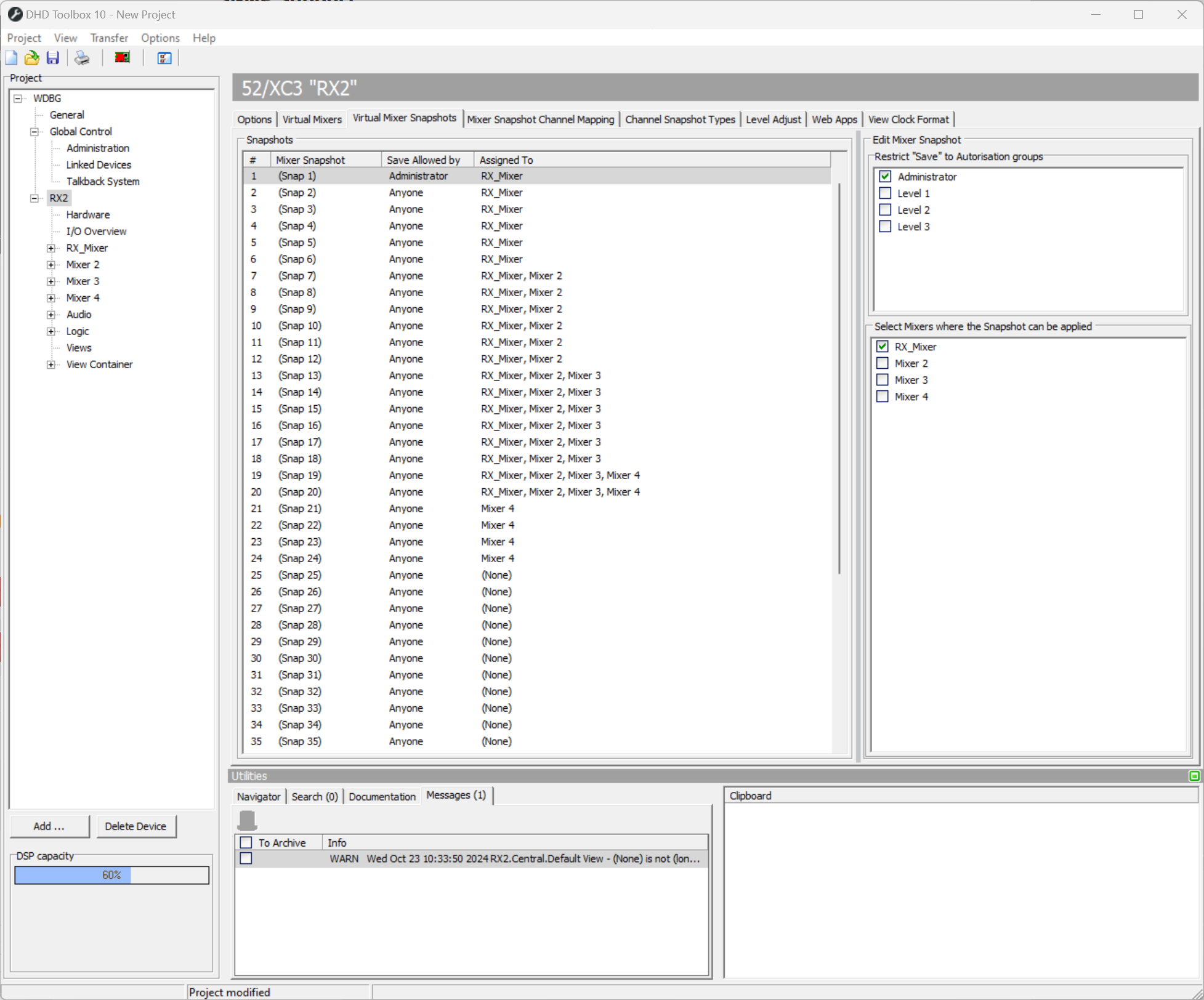
You can save up to 50 Virtual Mixer Snapshots.
These snapshots are listed in the snapshots area of the Virtual Mixer Snapshots tab.
Select a Mixer Snapshot from the list to define its options in the Edit Mixer Snapshot area. In the Restrict “Save” to Authorization groups list, you see all defined Authorization groups. Select one or more group check boxes to restrict the right to save a snapshot to these users assigned to this group (see for the setup of users and authorization groups).
In the Select Mixers where the Snapshot can be applied area, you have to assign on which virtual mixers it is allowed to use the selected snapshot.