Receive your License Codes
All software licenses and feature upgrade licenses will be delivered as license codes (for devices without microSD card) or voucher codes on the delivery note. (for firmware license, see Firmware License).
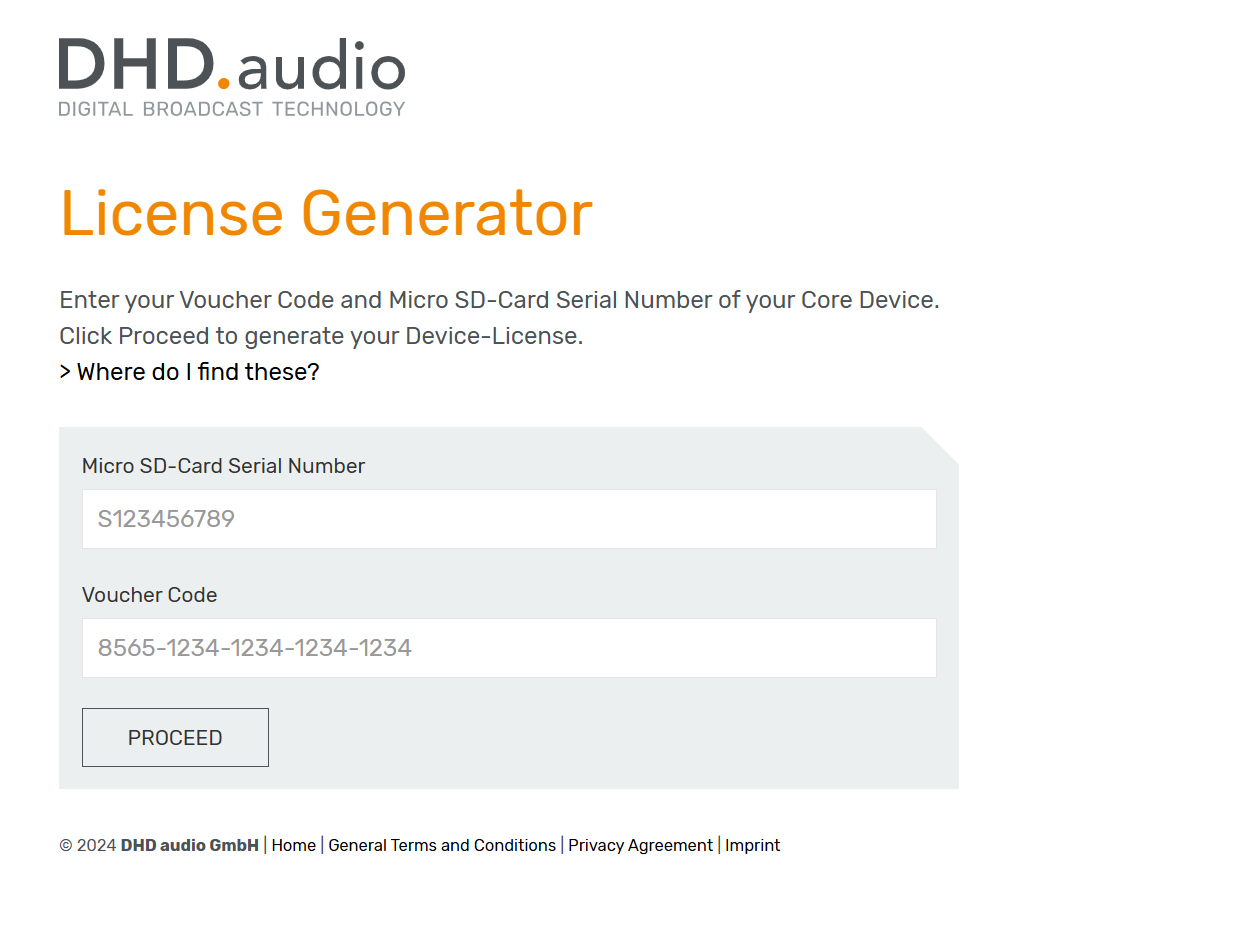
You can also generate a license code through the License Generator Page:
- Enter your Voucher Code and Micro SD-Card Serial Number of your Core Device.
- Click Proceed to generate your Device-License.
Entering & Redeeming your Voucher Codes
Entering & redeeming voucher codes can be done via the System App. See Licensing for further information.
When entering voucher codes via System App, please make sure, that the computer accessing System App needs to be securely connected to the internet.
Without an active internet connection redeeming voucher codes via the License.DHDaudio Server is not possible.
Reviewing Delivery Notes
As of Toolbox V10.0 reviewing Delivery Notes is done via the DHD Customer Area.
To gain access into the DHD Customer Area pages you need to be logged into your DHD audio customer account and be cleared for access by the DHD Support Team.
You can review all your delivery notes on the Order History Page. To review any open orders please visit the Open Orders Page.
In the Open Orders Page or Order History Page you can see a list with orders:
-
In the
Taskcolumn, click on a task number to see the corresponding documents. -
In the
Order-No:column, you can review and organize your entries by order number. -
In the
Detailscolumn, click to open the delivery note as PDF-file.
In the delivery note document you can find the license code below the serial number and the bar code of each software product.
- In the
Datecolumn, you can organize your entries by order date.