Receive your license codes
All software licenses and feature upgrade licenses will be delivered as license codes (for devices without microSD card) or voucher codes on the delivery note. (for firmware license, see Firmware License).
Reviewing Delivery Notes
You can review all your delivery notes on the Update Website. To review the license codes, follow these steps:
- When you are logged in, in the project area click on
Current OrdersorProject Historyto see an overview of your orders.
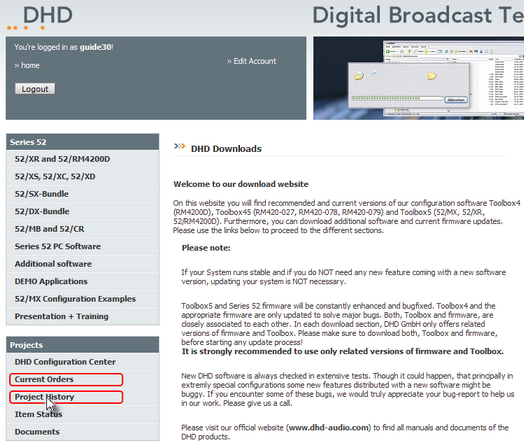
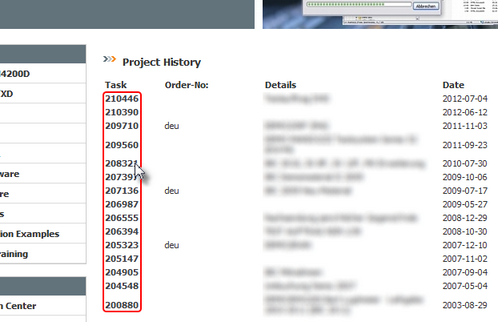
- In the Current Orders area or Project History area you can see a list with orders. In the Task column, click on a task number to see the corresponding documents.
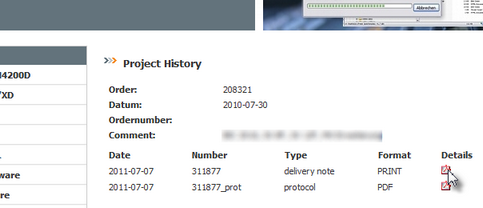
- In the
Detailscolumn of thedelivery noterow, click to open the delivery note as PDF-file.
- In the delivery note document you can find the license code below the serial number and the bar code of each software product.
tip
You can download all required software from the Update Website.