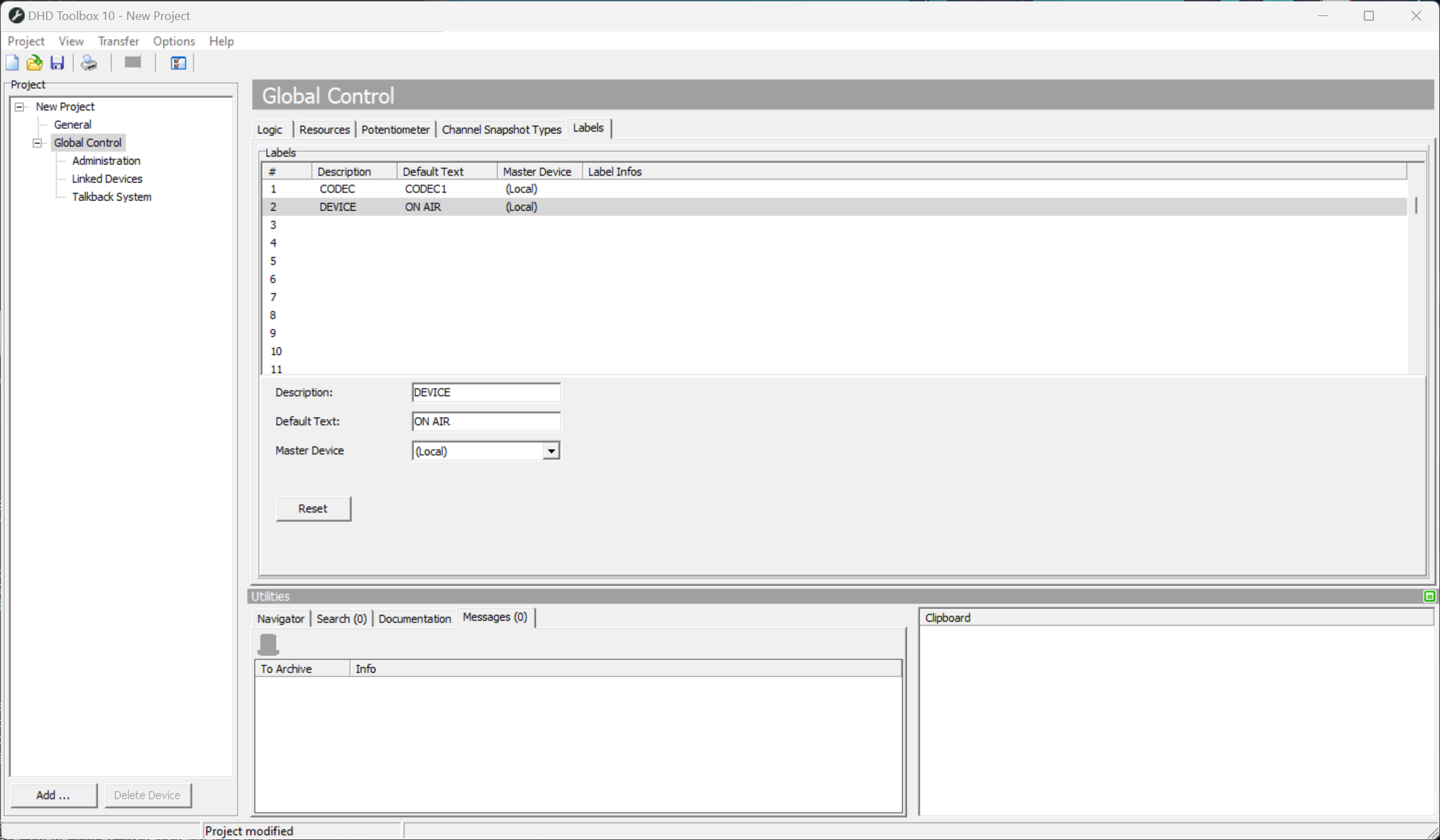
Global Labels
Global Labels are text strings that can be used in the whole project. All devices that use a certain global label show the same text.
Global Labels can be used in:
- channel labels
- selector lists
- TFT elements
- Transparents
- user defined buttons
- Ember+
Toolbox V10.1 and higher: Global Labels can now be defined as local and are not updated on all devices, making locally variable labels possible.
To insert a Global Label in a Label box use braces with the Global Label number, for example {1} for Global Label number 1 in complete length.
Global Labels can be limited to a certain number of characters. Just add the number of characters, separated by a colon : to the Global Label number - for example {1:16} will show only the first 16 characters of Global Label number 1.
Global Labels can be set by:
- TFT Keyboard (
Show keyboardoptions) - Selector (
Assign to Global Labeloption, see Selectors) - Ember+
- Routing Software
Each Global Label is defined with Default Text, Description and a Master Device.
The Label Infos column shows you, which device and which elements set / modify the Global Label.