Global Logics
Global logics are deprecated and only included in Toolbox to allow a compatible logic exchange with RM4200D systems. This is a legacy function and no longer necessary and not recommended for the use in systems of the Series 52.
If several devices are connected by Ethernet, they can exchange global logics using UDP commands.
These devices should be managed within one project. This makes configuration easier and secures a correct assignment of the appropriate devices. This way, all receive the same project ID.
In order to enable all devices to exchange global logics via UDP, their Project IDs have to be identical.
In a project, you can use a total of 200 global logics. Each of these functions can be fed with any logic source of the devices in the project. All global logics are available as logic sources in each device of the project.
To assign a global logic, follow these steps:
- At the
Global Controlnode in the project tree, select theLogictab. - Click on a row in the
Global Logicslist to select the desired global logic. - In the
Edit Global Logicarea, you can assign a distinctive name to the global logic in theLabeltext box. - Click
Source, theLogicwindow opens. Alternatively, you can double-click on a global logic in the list. - Select the desired logic source by clicking on its entry.
- Click
Assignor double-click on the logic source or drag & drop the logic source to theSourcebox. As a result, it is shown in the row of the selected global logic in theSourcecolumn.
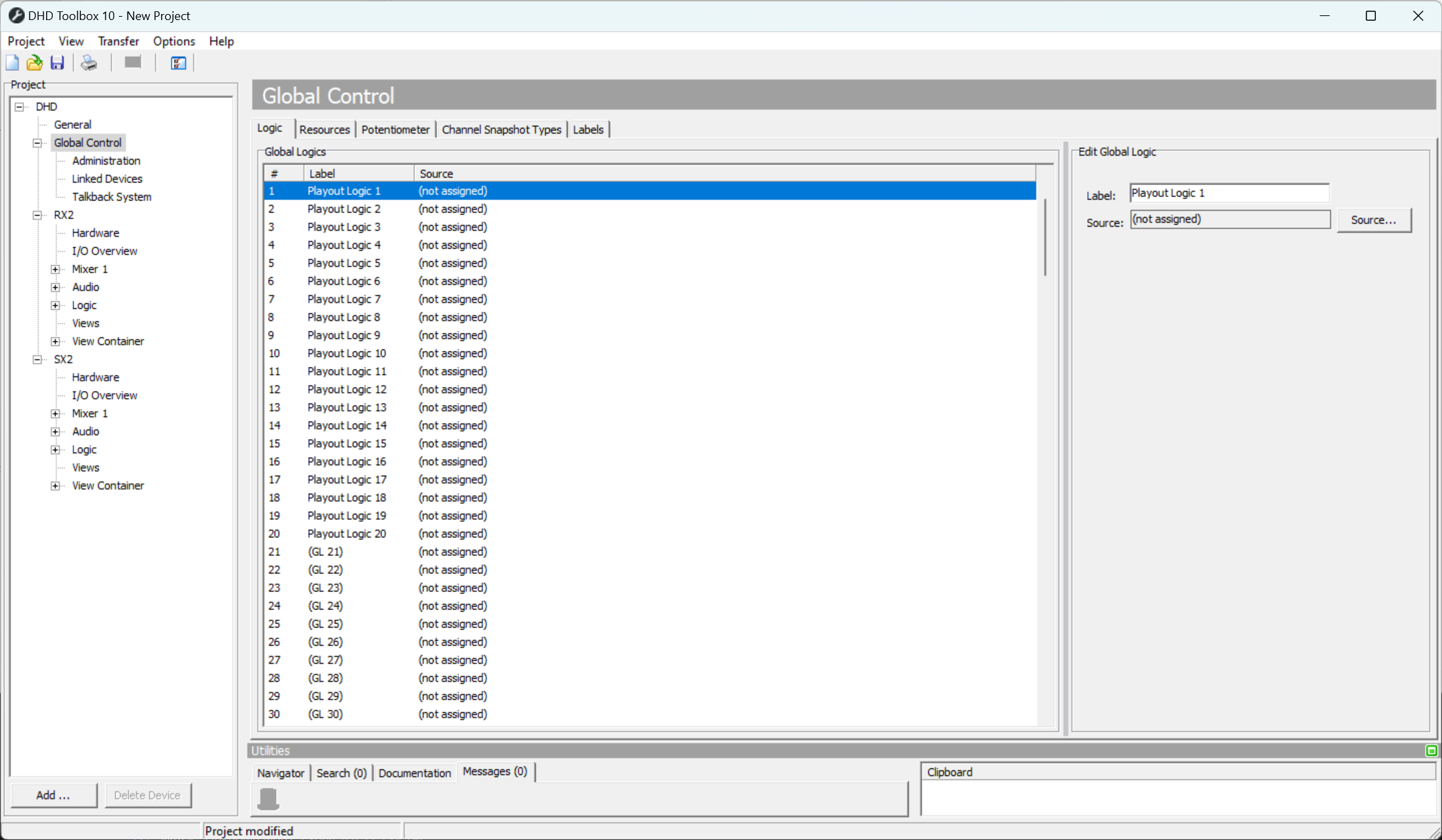
Global logics, configuration of the global logic functions.