Authorisation - PIN Input Conditions
Select the Authorisation tab to configure the PIN input conditions and access restriction for DSP controls.
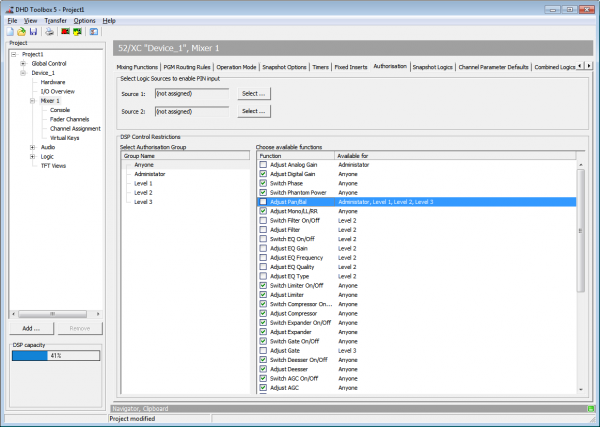
Select Logic Sources to enable PIN input area
The PIN input procedure is activated by the two logic sources Source 1 and Source 2. They have to be activated at the same time for approximately 3 seconds. In most cases, use keys on the control modules as logic sources. But also other logic sources like GPIs are possible.
To select a logic source, click Select of the Source 1 box or Source 2 box. The Logic Sources window opens. Select the desired logic source. Click Assign to assign the source, alternatively, you can also double-click on the logic source or use drag & drop. Please see the User Accounts section for information on entering PIN codes.
To log out, follow these steps:
- Activate the assigned logic sources (i.e., press the
OKkey and theCancelkey in the control section) at the same time for approx. 3 seconds until you are prompted to enter a PIN number. - Activate logic source 2 until you see the
LOCKEDmessage.
DSP Control Restrictions area | TB5 v7.4
Function only available in TB5 v7.4
Every User Group may have individual permissions. You can allow a group to use specific functions and with that you can disable specific functions for specific user groups too.
Select the Authorisation Group you want to edit in Select Authorisation Group column. Then you can select with the checkboxes, which functions are permitted or forbidden.
If a function is allowed for Group Anyone, all settings on specific groups are reset.
If a function is assigned to a user, the function is disabled for Anyone and all other not assigned users.